Harmony In My Hand
So we were thinking about getting a new TV, and we asked ourselves: what is that we enjoy most about the television-watching experience? Is it the high-impact action of televised poker? The sensitive terminal-illness dramas on that ladies’ cable network? The soul-cratering emptiness that is the contemporary sitcom? The mentally unstable human dregs who populate reality TV? Yes, of course, we love all of that and more. But then it hit us: as wonderful as TV is, our favorite part is the clicking, the flipping, the endless search for something better on another channel. It’s not the prey we care about – it’s the hunt.
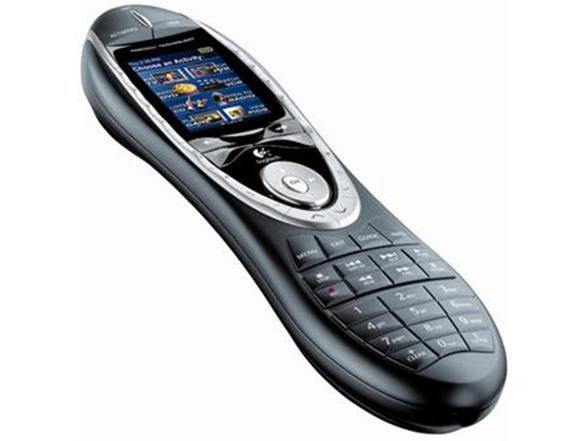
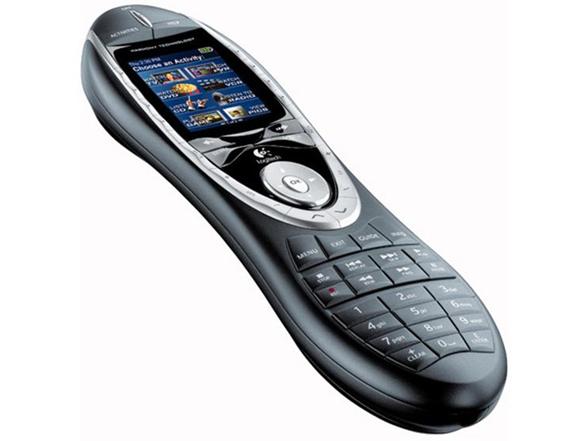
So we said, “Screw the new TV. Let’s get a new remote.” Now we enjoy the Logitech Harmony 880 Advanced Universal Remote more than we ever enjoyed all the CSI and Law and Order spinoffs combined. For one thing, it’s got a little screen of its own, so it’s kinda like a remote and a TV*.
Whoa. We just blew our own minds.
And that’s not the wildest thing about the Harmony 880. Get this: unlike the baffling setup process of many universal remotes, all you need to do is hook it up to your PC with the included USB cable. Then you go to the Harmony Remote web site, answer a few questions about your home theater components, and the Harmony’s programmed like Patty Hearst. (The software on the included disc may have been updated, so just to go Logitech’s Harmony 880 software site to download the latest drivers.) And its Activity buttons make it easy to just, you know, do stuff – like, you hit “Play DVD” and it deals with whatever components need to turn on or off automatically. The DVD just starts up. It’s amazing.
Now we’re perfectly happy with our old, crappy little TV. What’s on? Who cares? Our attention is riveted to the Logitech Harmony 880 Advanced Universal Remote. That’s entertainment!
*-You can’t actually watch TV on it.
Features
Specifications:
Command – One trigger finger is all you need
- One-Touch Control: Choose the activity you want to do, not the component you want to turn on.
- Up to 15 Components: Control video, audio, gaming—even lights and appliances.
- Customizable Buttons: Put your most frequent activities at your fingertips.
- Learning Port: Add favorite functions from an old remote just by pointing it at your Harmony.
Comfort and Convenience – Never get numb-thumb again.
- Charging Station: Put your remote in its own home and forget about changing batteries.
- Comfort-Grip Shape: Hold on comfortably and reach all the buttons with ease.
- Fully Backlit Controls and LCD Display: Navigate even in movie-theater darkness.
- Help Button: Confused? Let the Help Button figure it out for you. (No one else has one.)
Simple Setup – It doesn’t get easier than this
- Online Wizard: Plug into a USB port and walk right through initial setup or adding equipment.
- Incredible Compatibility: From laser disc to Blu-Ray® disc, find your components in our 175,000-device database.
- Free Support: Expect total customer satisfaction, whether you have a problem or just a question.
Computer requirements:
- USB port
- For PC: pre-installed Windows® 98SE, Me, 2000, or XP
- For Mac®: pre-installed OS X 10.2 or later
- An Internet connection
Package Contents
- Harmony® 880 Remote Control
- Recharging station
- AC adapter for recharging base
- USB cable
- Lithium-ion rechargeable battery
- Installation CD
- Installation guide
Specs
Logitech Harmony 880 Advanced Universal RemoteSpecs
Logitech Harmony 880 Advanced Universal RemoteSales Stats
- Speed to First Woot:
- 0m 4.000s
Purchaser Experience
Purchaser Seniority
Quantity Breakdown
Percentage of Sales Per Hour
| 12 | 1 | 2 | 3 | 4 | 5 | 6 | 7 | 8 | 9 | 10 | 11 | 12 | 1 | 2 | 3 | 4 | 5 | 6 | 7 | 8 | 9 | 10 | 11 |
|---|
Woots by State
Best sellers
-
$8999 RefurbishedShark Matrix Plus 2-in-1 Robot Vacuum & Mop -
$1499 $35.00 Reference PriceSave: $20.01 (57%)Hurley Long Sleeve Thermal Crewneck -
$1999 $89.99 Reference PriceSave: $70.00 (78%)3-in-1 Carbon Monoxide w/Temp & Humidity Detector -
$999Mens Hooded Long Puffer Coat